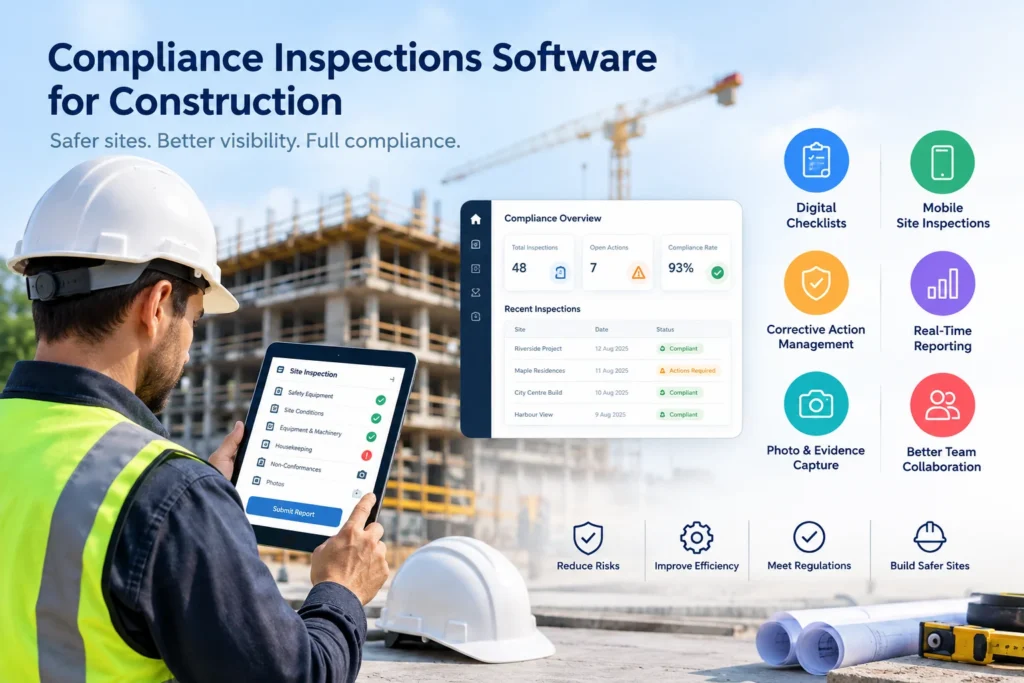
Construction teams manage inspections, safety checks, quality requirements, risk assessments, corrective actions, and compliance records every day. However, when these activities depend on paper forms, spreadsheets, emails, and disconnected systems, important information can quickly become difficult to track.
Compliance inspections software for construction provides a more structured way to manage these activities. Instead of relying on manual paperwork, construction companies can capture inspection data digitally, assign corrective actions, monitor progress, and maintain a clear compliance record.
For contractors, site supervisors, project managers, and compliance teams, this means fewer administrative gaps and better visibility across construction projects.
What Is Compliance Inspections Software for Construction?
Compliance inspections software is a digital platform that helps construction businesses plan, conduct, record, and manage inspections and compliance activities.
It can support inspections related to:
- Construction site safety
- Quality assurance and quality control
- Environmental compliance
- Workplace health and safety
- Risk assessments
- Equipment and machinery
- Site conditions
- Subcontractor compliance
- Regulatory requirements
- Corrective and preventive actions
Instead of completing a paper checklist and storing it in a folder, inspectors can use a mobile device to complete inspections, attach photos, record observations, and submit reports.
As a result, project managers can access inspection information without waiting for paperwork to reach the office.
Why Are Construction Compliance Inspections Important?
Construction sites change constantly. New workers arrive, equipment moves, activities change, and hazards can develop throughout a project.
Therefore, regular inspections help businesses identify issues before they become larger problems.
A well-managed inspection process can help teams:
- Identify hazards and non-conformances.
- Document site conditions.
- Assign corrective actions.
- Track outstanding issues.
- Maintain inspection records.
- Demonstrate compliance during audits.
- Improve communication between site and management teams.
However, completing an inspection is only one part of compliance management. The real value comes from what happens after an issue is identified.
The Problem With Manual Construction Inspections
Many construction companies still use a combination of paper forms, Excel spreadsheets, email, and shared folders.
Although these methods can work for small projects, they become difficult to manage as the number of projects and inspections increases.
| Manual process | Common challenge | Digital approach |
|---|---|---|
| Paper inspection forms | Forms can be misplaced or damaged | Digital inspection records |
| Excel tracking | Difficult to maintain across projects | Centralised compliance dashboard |
| Email-based actions | Follow-ups can be missed | Assigned corrective actions |
| Manual reports | Time-consuming administration | Automated inspection reports |
| Photo folders | Images can become disconnected from findings | Photos linked to inspections |
| Paper archives | Difficult to search | Searchable digital records |
Moreover, manual processes make it harder for management to get a real-time view of compliance performance.
Key Features of Construction Compliance Inspection Software
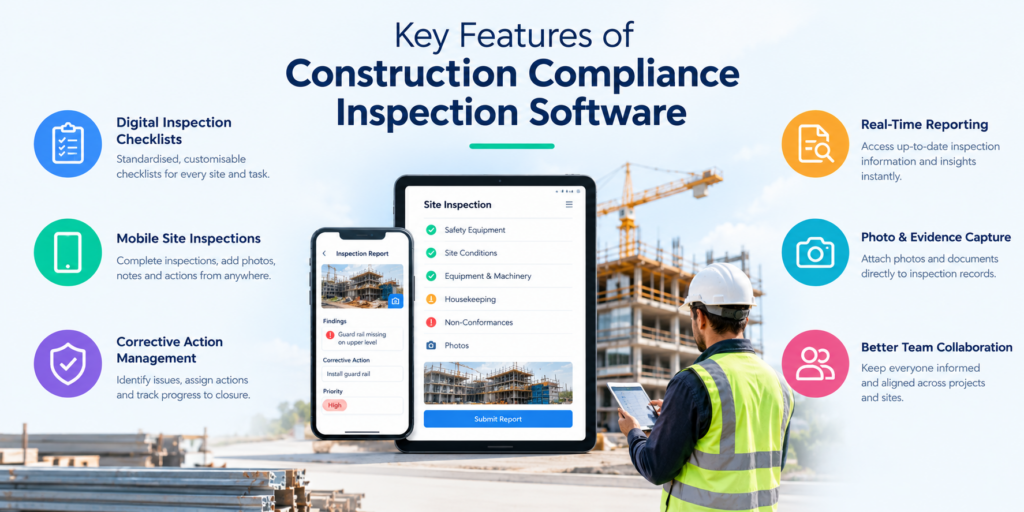
The right platform should do more than replace a paper checklist. It should connect inspections with the wider compliance workflow.
1. Digital Inspection Checklists
Teams can create standardised inspection checklists for different construction activities, projects, equipment, or compliance requirements.
This helps inspectors follow a consistent process while reducing the risk of missing important inspection points.
2. Mobile Site Inspections
Construction inspections often happen away from a desk. Therefore, mobile functionality is essential.
Inspectors can use smartphones or tablets to:
- Complete inspection forms
- Record observations
- Add notes
- Capture photos
- Document non-conformances
- Assign actions
- Submit inspection results
This allows information to move from the construction site to management much faster.
3. Corrective Action Management
Finding a problem is only the beginning.
Construction compliance software can turn inspection findings into actionable tasks. Managers can assign responsibilities, establish deadlines, and monitor outstanding actions.
For example:
Inspection finding → Corrective action → Assigned person → Due date → Completion → Verification
This creates a clear workflow instead of leaving follow-up activities buried inside emails or spreadsheets.
4. Photo and Evidence Capture
Photos provide valuable evidence during construction inspections.
Digital inspection platforms can associate images and supporting documentation with specific inspection findings. Consequently, teams have stronger records when reviewing an incident, investigating a non-conformance, or preparing for an audit.
5. Automated Compliance Reports
Preparing inspection reports manually can consume significant administrative time.
A digital system can generate structured reports from inspection data. As a result, supervisors and compliance managers can spend less time formatting documents and more time addressing issues.
6. Audit Trails and Compliance Records
A strong compliance management system should provide a reliable history of inspections, findings, actions, updates, and completed work.
This creates an audit trail that helps organisations demonstrate how compliance issues were identified and managed.
How Does Compliance Inspection Software Improve Construction Workflows?
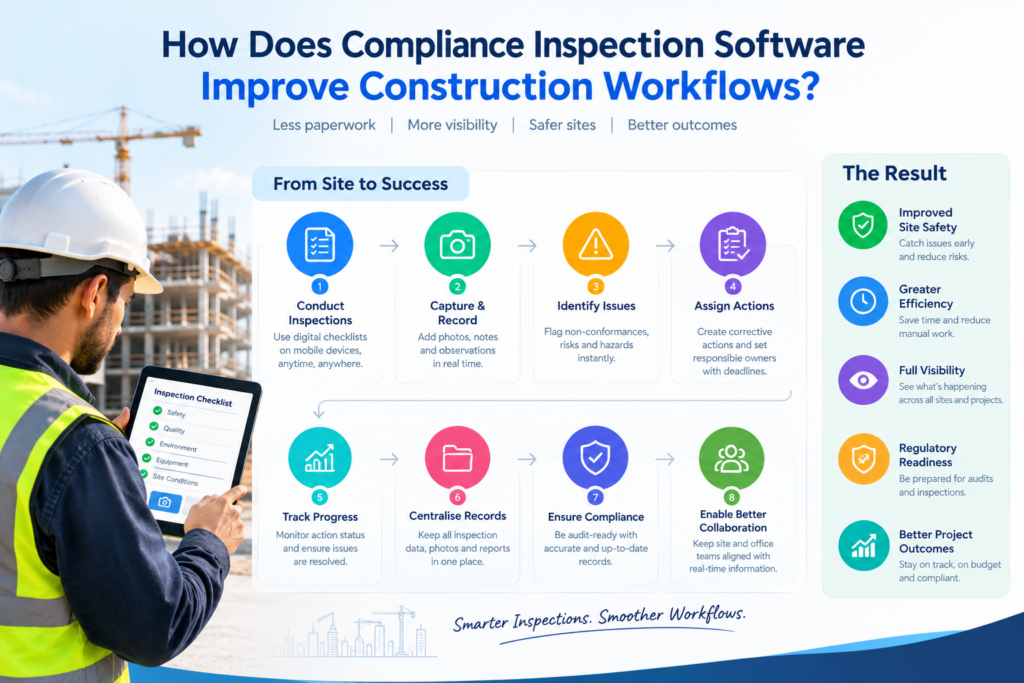
A digital inspection process typically follows a simple workflow:
Step 1: Plan the Inspection
The supervisor or compliance manager schedules the required inspection based on the project, activity, equipment, or compliance requirement.
Step 2: Complete the Inspection
The inspector opens the relevant checklist on a mobile device and records the results directly on site.
Step 3: Capture Evidence
The inspector adds photographs, notes, documents, or other supporting information where required.
Step 4: Record Non-Conformances
If the inspection identifies an issue, the inspector records the finding and creates a corrective action.
Step 5: Assign Responsibility
The responsible person receives the action with a clear deadline.
Step 6: Monitor Progress
Management can monitor open, overdue, and completed actions from a central system.
Step 7: Generate Reports
The completed inspection data can then be used to create reports and maintain compliance documentation.
This connected workflow reduces the gap between identifying a problem and resolving it.
Compliance Inspections Software for Construction: Who Needs It?
Construction compliance software can support multiple roles across an organisation.
| User | How software can help |
|---|---|
| Site Supervisors | Complete and review site inspections |
| HSE Managers | Monitor safety and compliance activities |
| Project Managers | Track project-level compliance |
| Quality Managers | Manage inspections and non-conformances |
| Compliance Managers | Maintain records and audit evidence |
| Contractors | Standardise inspection processes |
| Senior Management | View compliance performance |
Therefore, the value extends beyond the person performing the inspection. Everyone involved in managing construction compliance can benefit from having the same information in one system.
What Should You Look for When Choosing Construction Inspection Software?
Not every inspection platform is designed for construction environments.
Before choosing a solution, consider the following:
- Mobile accessibility: Can inspectors use it directly on site?
- Custom checklists: Can your organisation create inspection forms for different requirements?
- Photo evidence: Can users attach images to findings?
- Corrective actions: Can issues be assigned and tracked?
- Reporting: Can the system generate professional inspection reports?
- Audit trail: Can you see the history of actions and changes?
- Dashboards: Can managers quickly identify outstanding issues?
- Scalability: Can the platform support multiple projects and teams?
- Ease of use: Can field workers adopt it without complicated training?
- Integration: Can it work alongside your existing business systems?
The best solution should fit your actual construction workflow rather than forcing your team to change everything around the software.
How Sky Soft Compliance Supports Construction Compliance
Sky Soft Compliance provides a digital approach to managing construction compliance activities, inspections, risk assessments, and reporting.
The platform is designed to help organisations move away from disconnected paperwork and spreadsheets toward a more structured digital compliance process.
With Sky Soft Compliance, teams can centralise important compliance activities, capture information digitally, manage actions, and maintain accessible records.
Key capabilities can include:
- Digital compliance inspections
- Site inspection management
- Risk assessment workflows
- Digital checklists
- Corrective action tracking
- Evidence and document management
- Compliance reporting
- Audit-ready records
- Centralised compliance information
- Management visibility
For construction businesses managing multiple sites or projects, having this information in one place can make compliance management easier to monitor and maintain.
Digital Inspections and the Future of Construction Compliance
Construction compliance is becoming increasingly data-driven.
Instead of simply storing completed inspection forms, modern platforms can help organisations understand patterns across projects. For example, management can identify recurring findings, overdue corrective actions, high-risk areas, or inspection trends.
This creates an opportunity to move from reactive compliance management to proactive risk management.
Furthermore, digital records make it easier to share information between site teams, project managers, compliance departments, contractors, and senior management.
Final Thoughts
Compliance inspections software for construction can transform the way businesses manage inspections and compliance documentation.
Instead of relying on paper forms, spreadsheets, and scattered emails, construction teams can create a connected workflow for inspections, findings, corrective actions, evidence, reporting, and audit records.
Most importantly, digital compliance management is not simply about replacing paperwork. It is about giving construction teams better visibility into what has been inspected, what requires attention, who is responsible, and whether issues have been resolved.
For construction companies looking to modernise their compliance processes, Sky Soft Compliance offers a practical digital foundation for managing inspections and compliance activities more efficiently.
Read more : Preparing for an ISO 9001 Audit? Follow This Construction Site Records Checklist
FAQ’s
It is a digital platform that helps construction teams manage inspections, checklists, corrective actions, evidence, reports, and compliance records.
It replaces paper-based processes with digital inspections, mobile data capture, corrective action tracking, automated reporting, and centralised records.
Sky Soft Compliance supports digital inspections, risk assessments, checklists, corrective actions, evidence management, compliance reporting, and audit-ready records.