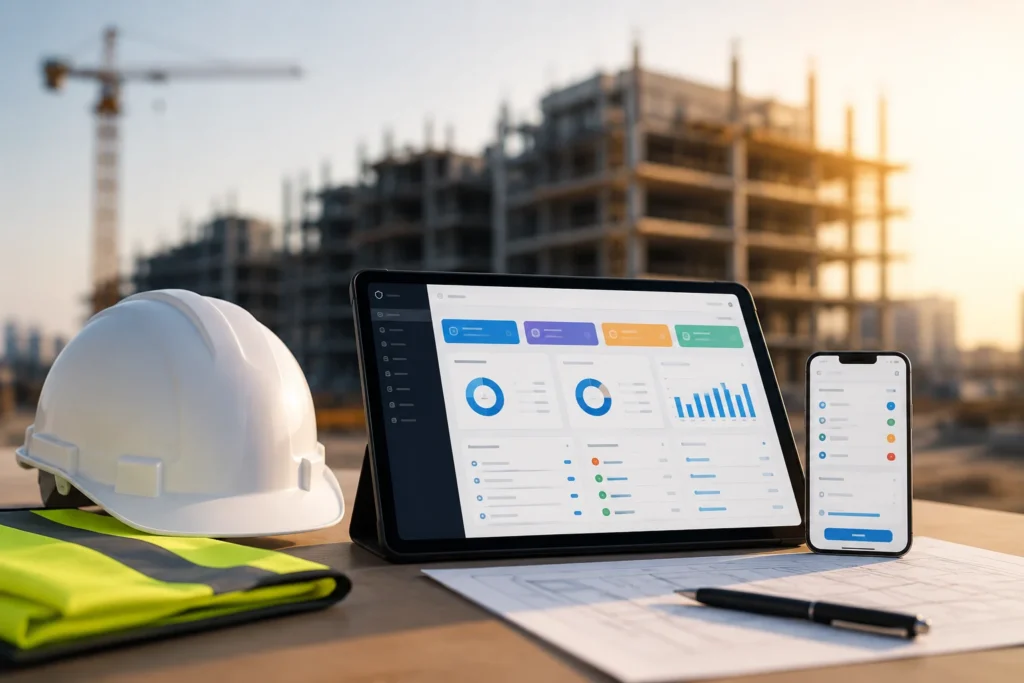

Construction projects generate a large amount of information every day. From workforce attendance and site inspections to weather conditions, material deliveries, safety incidents, and construction progress, every detail can affect project timelines, costs, and compliance. However, when site reporting relies on paper forms, spreadsheets, and scattered messages, recording and organizing this information can become a time-consuming task.
Construction site reporting helps contractors, site managers, project managers, and health and safety teams maintain an accurate record of daily activities. It also creates a reliable source of information for tracking progress, investigating issues, demonstrating compliance, and making informed decisions.
The challenge is not simply to record what happens on site. Instead, construction teams need a consistent reporting process that captures the right information without creating unnecessary administrative work.
In this guide, you will learn what to include in a daily construction site report, how to improve reporting accuracy, which common mistakes to avoid, and how digital construction compliance software such as Sky Soft Compliance can help simplify site documentation.
What Is Construction Site Reporting?
Construction site reporting is the process of documenting daily activities, work progress, site conditions, resources, safety observations, and issues that occur during a construction project.
A daily construction site report provides a record of what happened on a particular day, who was involved, what work was completed, and whether any problems affected the project.
Depending on the project, the report may be prepared by a site supervisor, construction manager, project engineer, safety officer, or another authorized team member.
A well-maintained report typically includes:
- Project name, site location, and reporting date.
- Weather conditions and working hours.
- Workforce attendance and subcontractor activities.
- Work completed and progress against the schedule.
- Materials and equipment used or delivered.
- Site inspections and health and safety observations.
- Incidents, defects, delays, and corrective actions.
- Site photographs and supporting documents.
- Outstanding issues and planned activities for the next working day.
Moreover, daily reporting provides a consistent record that project stakeholders can review when they need to understand progress, investigate a delay, or verify that an issue was addressed.
Why Is Daily Construction Reporting Important?
Daily reporting gives construction teams greater visibility into what is happening on site. Without it, important details may depend on someone’s memory, a conversation, or an informal message that is difficult to retrieve later.
For example, if a project experiences a delay because materials arrived late, the daily site report can document the delivery date, the affected work, and the resulting impact on the schedule.
Similarly, if an inspection identifies a safety concern, the report can record the observation, the responsible person, the corrective action, and the follow-up status.
Consequently, consistent reporting helps construction businesses:
- Monitor daily construction progress.
- Identify delays and operational issues earlier.
- Improve communication between office and site teams.
- Maintain organized project documentation.
- Support health, safety, quality, and environmental compliance.
- Track defects and corrective actions.
- Improve accountability across contractors and subcontractors.
- Make better-informed project management decisions.
The value of construction site reporting therefore extends beyond documentation. It supports better coordination, stronger oversight, and more reliable project records.
What Should You Record in a Daily Construction Site Report?
A useful daily site report should capture the information needed to understand the day’s activities, explain any deviations from the plan, and establish clear next steps.
However, the exact requirements vary according to the project type, contract, client expectations, and applicable regulations.
The following sections cover the essential information most construction teams should consider recording.

1. Project and Site Information
Start every report with basic project details. This information makes it easier to identify, retrieve, and organize records later.
Include:
- Project name and reference number.
- Site address or location.
- Reporting date and day.
- Name of the person preparing the report.
- Site supervisor or responsible manager.
- Weather conditions.
- Start and finish times.
- Reporting period or shift.
Although these details may appear simple, they establish the context for everything recorded in the report.
For example, including the correct project reference helps prevent documents from being assigned to the wrong site, especially when a contractor manages multiple projects simultaneously.
2. Daily Construction Activities and Work Progress
The report should explain what work was planned, what work was completed, and whether the team encountered any obstacles.
Rather than writing a vague statement such as “construction work continued,” describe the actual activities and their status.
Record details such as:
- Work activities completed during the day.
- Work areas or sections covered.
- Quantities completed, where measurable.
- Planned work that remains unfinished.
- Milestones achieved.
- Deviations from the construction schedule.
- Issues affecting productivity or progress.
Example of an effective progress entry:
Instead of writing, “Concrete work completed,” record the relevant location, work performed, quantity where applicable, and any outstanding inspection or approval.
This creates a more useful project record and helps managers compare actual progress with the original plan.
Furthermore, consistent progress reporting makes it easier to identify recurring delays and determine whether additional resources or schedule adjustments are required.
3. Workforce Attendance and Subcontractor Activities
Labour availability can directly affect construction productivity. Therefore, daily reporting should capture who was working on site and which teams were responsible for specific activities.
Depending on project requirements, record:
- Number of workers present.
- Subcontractors working on site.
- Supervisors and responsible personnel.
- Labour allocated to key activities.
- Absences or workforce shortages.
- Significant changes in labour allocation.
For example, if a subcontractor cannot complete an activity because fewer workers arrived than expected, the report should document the issue and explain its effect on planned work.
However, personal information should only be collected where necessary and handled according to the organization’s privacy and data protection requirements.
4. Materials, Deliveries, and Equipment
Construction delays can occur when essential materials, machinery, or equipment are unavailable.
Daily reports should therefore record significant deliveries, resource shortages, equipment problems, and any issues that affect site operations.
Consider documenting:
- Materials delivered and their quantities.
- Delivery dates and relevant references.
- Materials that are missing, damaged, or rejected.
- Equipment used for major activities.
- Equipment breakdowns or downtime.
- Plant availability and operational issues.
- Outstanding material orders.
For instance, if a scheduled delivery arrives late and prevents a team from starting an activity, the report should identify the affected work and any action taken.
This information can also support coordination between site managers, procurement teams, suppliers, and project managers.
5. Health and Safety Observations
Health and safety reporting is an essential part of construction site management. However, a daily report should not replace dedicated risk assessments, permit-to-work processes, incident reporting procedures, or formal safety inspections where those are required.
Instead, it should provide a clear record of relevant safety activities and issues identified during the reporting period.
Depending on the project, record:
- Safety inspections conducted.
- Hazards or unsafe conditions identified.
- Near misses and incidents, using the required reporting procedure.
- Toolbox talks or safety briefings completed.
- Personal protective equipment concerns.
- Corrective actions assigned.
- Responsible persons and target dates.
- Follow-up inspections and closure evidence.
For example, if an inspection identifies an unprotected edge, the report should record the location, the immediate control measures taken, the responsible person, and the follow-up required.
Importantly, an observation should not be marked as resolved simply because it has been assigned to someone. The team should verify that the corrective action has been completed and that appropriate evidence is available.
6. Quality Inspections, Defects, and Corrective Actions
Construction quality issues can become expensive when they remain undocumented or are discovered late in the project.
Daily site reporting should therefore connect relevant inspection findings with the work being performed.
Record:
- Quality inspections completed.
- Work requiring reinspection or approval.
- Defects identified.
- Non-conformances or deviations from specifications.
- Corrective actions required.
- Responsible contractors or team members.
- Target completion dates.
- Supporting photographs and documents.
- Verification and closure status.
For example, if an inspection identifies incorrect installation in a particular area, the report should reference the location, describe the defect, assign responsibility, and record the follow-up inspection.
As a result, project teams can track outstanding issues instead of relying on separate messages or disconnected spreadsheets.
7. Delays, Incidents, and Unexpected Events
A daily construction report should also explain events that affect the original work plan.
These may include:
- Adverse weather.
- Late material deliveries.
- Equipment breakdowns.
- Labour shortages.
- Restricted site access.
- Design changes or missing information.
- Failed inspections.
- Client or consultant instructions.
- Unexpected site conditions.
For every significant issue, document what happened, when it occurred, which activities were affected, and what action was taken.
Where relevant, include supporting photographs, correspondence references, and details of the person notified.
This creates a more complete record for internal reviews, schedule assessments, and contractual discussions. Nevertheless, formal delay notices, contractual notifications, and claims documentation must follow the applicable contract requirements rather than relying solely on the daily report.
8. Site Photographs and Supporting Evidence
Photographs can make construction reports much more useful because they show site conditions and work progress at a particular time.
However, photographs should be relevant, clearly identified, and linked to the correct project and activity.
Consider capturing:
- Work completed during the reporting period.
- Inspection findings.
- Defects and damaged materials.
- Site access or housekeeping issues.
- Equipment conditions.
- Completed corrective actions.
- Areas requiring follow-up.
Whenever possible, add a short description explaining what each photograph shows and why it matters.
For example, a photograph labelled “North elevation, Level 2, post-inspection correction” is more useful than an image labelled “Site photo.”
Additionally, use consistent naming conventions and secure storage so that authorized team members can retrieve evidence when needed.
9. Outstanding Actions and Plans for the Next Day
Finally, every report should make it clear what happens next.
Include outstanding activities, unresolved issues, required approvals, and planned work for the following day.
For each action, record:
- A clear description of the task.
- The responsible person or team.
- The target completion date.
- The current status.
- Any dependencies or approvals required.
- Evidence needed to confirm completion.
This step connects daily reporting with actual project management. Instead of merely recording past activities, the report helps the team prepare for upcoming work and resolve problems before they cause further disruption.
Daily Construction Site Report Checklist
The following checklist provides a practical starting point for construction managers and site supervisors.
| Reporting category | What to record | Why it matters |
|---|---|---|
| Project details | Project name, location, date, supervisor | Identifies the correct project and reporting period |
| Weather and working hours | Weather conditions, shift times, interruptions | Helps explain working conditions and delays |
| Work progress | Activities completed, quantities, milestones | Supports schedule monitoring |
| Workforce | Attendance, subcontractors, labour allocation | Helps assess resource availability |
| Materials and equipment | Deliveries, shortages, breakdowns | Identifies operational constraints |
| Health and safety | Observations, incidents, controls, follow-ups | Supports safety management and traceability |
| Quality | Inspections, defects, non-conformances | Improves issue tracking |
| Photographs and evidence | Dated images, supporting documents | Provides context and supporting records |
| Delays and instructions | Cause, impact, notifications, actions | Creates a clearer record of unexpected events |
| Outstanding actions | Responsible person, deadline, status | Improves accountability and follow-up |
| Next-day plan | Planned activities, approvals, dependencies | Supports daily coordination |
Use this checklist as a foundation and adapt it to your project’s reporting requirements. In addition, keep the format consistent across sites so that managers can compare information without having to interpret a different reporting structure for every team.
What Are the Common Problems With Manual Construction Site Reporting?
Many construction businesses already have a reporting process. Nevertheless, that process may involve paper forms, spreadsheets, email attachments, messaging apps, and repeated data entry.
Although these tools can work for simple projects, problems often emerge as the number of sites, contractors, and reporting requirements increases.

1. Repeated Data Entry
Site supervisors may record the same information in a paper diary, a spreadsheet, an inspection form, and an email.
As a result, reporting takes longer and the risk of inconsistent information increases.
2. Missing or Incomplete Information
When teams complete reports in a hurry, they may forget photographs, dates, inspection details, or action owners.
Consequently, managers must follow up to obtain missing information before they can review or approve the report.
3. Scattered Documents and Photographs
Important records may be stored across personal devices, email inboxes, shared folders, and messaging conversations.
Therefore, finding the correct document can become difficult when a manager needs evidence for an audit, client review, or project meeting.
4. Slow Review and Approval
Paper reports often require manual collection, scanning, forwarding, and filing.
Similarly, spreadsheet-based processes may depend on someone updating the correct version and notifying the right people.
These steps can delay decision-making, especially when several sites report to one central office.
5. Poor Visibility Into Outstanding Issues
A report may describe a problem without providing a clear way to track its resolution.
For example, a safety observation could remain in a spreadsheet long after the initial report has been submitted.
Without a consistent action-tracking process, managers may struggle to determine which issues remain open, who is responsible, and whether corrective work has been verified.
6. Limited Access to Reliable Historical Records
When daily reports are not organized consistently, comparing activities across different dates or projects becomes harder.
As a result, project teams may spend unnecessary time reconstructing timelines, identifying recurring problems, and preparing information for management reviews.
The solution is not simply to ask site teams to complete more paperwork. Instead, construction businesses should simplify the reporting workflow and make essential information easier to capture, retrieve, and act upon.
How to Reduce Administrative Work in Construction Site Reporting
Reducing construction reporting administration does not mean removing essential records or compromising compliance. Instead, the goal is to capture information efficiently, reduce duplication, and make reports easier to review.
The following strategies can help construction businesses improve their daily reporting process.

1. Standardize Your Daily Site Report Template
First, create a consistent reporting template that every site team can follow.
Without a standard format, different supervisors may record the same activity in different ways. Consequently, managers must spend additional time interpreting reports and locating missing details.
A standardized template should include predefined sections for:
- Project and site information.
- Daily work activities and progress.
- Workforce and subcontractor details.
- Materials and equipment.
- Safety and quality observations.
- Photographs and supporting evidence.
- Delays and unexpected events.
- Outstanding actions and next-day plans.
However, avoid adding unnecessary fields simply because they might be useful someday. Instead, focus on the information your team needs to manage the project, demonstrate compliance, and make decisions.
2. Replace Paper Forms With Digital Site Reporting
Digital construction site reporting allows teams to record information electronically instead of completing paper forms and manually transferring the information into other systems.
For example, a site supervisor can complete a report on a mobile device, attach relevant photographs, and submit the information through a centralized platform.
This approach can reduce the need to scan documents, retype information, and distribute multiple copies of the same report.
Furthermore, digital forms can improve consistency by using predefined fields, selectable options, and required inputs where appropriate.
The key benefit is simpler information capture: teams spend less time managing documents and more time coordinating actual construction activities.
3. Capture Information at the Point of Work
Whenever possible, record information when the activity or observation occurs rather than waiting until the end of the day.
For instance, a supervisor who identifies a defect during an inspection can record the location, attach photographs, and document the required corrective action immediately.
Similarly, a site manager can record completed activities while the relevant details are still available.
This approach reduces reliance on memory and limits the need to reconstruct events later.
Moreover, capturing information promptly helps teams identify missing details before the report is submitted.
4. Reduce Duplicate Data Entry
One of the most effective ways to reduce administrative work is to stop recording the same information in multiple places.
Review your existing reporting process and identify where information is duplicated between:
- Daily site reports and progress spreadsheets.
- Inspection forms and defect registers.
- Safety observations and corrective action logs.
- Site photographs and document folders.
- Contractor updates and management reports.
Where appropriate, use a shared digital system to maintain consistent records and connect related activities.
For example, an inspection finding could be linked to its corrective action and supporting photographs rather than copied into several independent documents.
Depending on the software and configuration, integrations may also help transfer relevant information between reporting, document management, and project management systems.
However, integration should be designed around actual business requirements. Not every process needs automation, and poorly configured integrations can create additional work.
5. Automate Repetitive Reporting Tasks
Construction teams often spend considerable time on routine administrative activities that follow predictable steps.
Depending on the platform, these tasks may include:
- Sending report submission reminders.
- Notifying managers when reports are submitted.
- Flagging incomplete forms.
- Assigning corrective actions to responsible personnel.
- Sending reminders about overdue actions.
- Preparing summaries from recorded information.
- Organizing documents and inspection evidence.
- Generating reports using approved templates.
For example, a digital workflow could notify the responsible manager when a site report is submitted and alert the designated action owner when a corrective action approaches its deadline.
As a result, employees spend less time chasing updates manually.
Nevertheless, automated notifications do not replace professional judgment. Managers must still review significant issues, verify corrective actions, and ensure that records meet the project’s requirements.
6. Create a Centralized Reporting System
A centralized construction reporting system makes it easier for authorized users to access project records without searching through disconnected folders and conversations.
Instead of maintaining separate files for every activity, teams can organize reports according to project, site, date, activity, or document type.
This structure improves document retrieval and provides a clearer view of project information.
Furthermore, centralized records can help management identify outstanding inspections, recurring defects, overdue actions, and reporting gaps across multiple sites.
Access permissions should also be configured appropriately so that employees can view and update only the information relevant to their responsibilities.
7. Use Mobile Reporting for Site Teams
Construction teams do not always have immediate access to an office computer. Therefore, mobile-friendly reporting is particularly useful for supervisors, inspectors, and other personnel working on site.
A mobile reporting process should make it straightforward to:
- Complete forms using a phone or tablet.
- Record observations and site conditions.
- Attach photographs and relevant documents.
- Review assigned tasks.
- Update action status.
- Submit reports for review.
Where internet connectivity is unreliable, consider a solution with offline reporting and synchronization capabilities.
However, offline functionality varies between platforms. Before selecting a system, confirm which forms, attachments, workflows, and reporting features remain available without a connection.
8. Monitor Reporting Performance With Meaningful Metrics
Finally, measure whether your new reporting process actually reduces administrative effort.
Useful metrics may include:
| Metric | What it measures | Why it matters |
|---|---|---|
| Average report completion time | Time required to prepare a daily report | Indicates reporting efficiency |
| Report submission rate | Percentage of required reports submitted on time | Helps identify reporting gaps |
| Incomplete report rate | Percentage of reports missing required information | Measures documentation quality |
| Duplicate entry frequency | How often information must be entered repeatedly | Identifies avoidable administration |
| Average action closure time | Time taken to complete and verify assigned actions | Helps assess follow-up performance |
| Document retrieval time | Time needed to locate a required record | Measures accessibility |
| Overdue action count | Number of actions past their target dates | Highlights outstanding issues |
Establish a baseline before changing the process. Then compare performance after implementation.
For example, if your team currently spends considerable time compiling information from separate documents, measure how long the process takes before and after introducing centralized digital reporting.
This approach helps demonstrate whether the changes are producing meaningful improvements rather than simply moving administrative work from one tool to another.
Manual vs. Digital Construction Site Reporting
Both manual and digital reporting methods can be used to document construction activities. However, their suitability depends on project complexity, reporting frequency, and the level of coordination required.
| Feature | Manual reporting | Digital construction site reporting |
|---|---|---|
| Information capture | Paper forms or separate spreadsheets | Electronic forms and structured records |
| Photographic evidence | May require separate uploading and filing | Can be attached to reports where supported |
| Report distribution | Often involves scanning, emailing, or sharing files | Can support digital submission and notifications |
| Information retrieval | Depends on filing and naming practices | Can support centralized search and filtering |
| Action tracking | May rely on separate registers or reminders | Can link actions to reports and assigned owners |
| Reporting consistency | Depends heavily on individual practices | Can use standardized templates and validation |
| Management visibility | Often requires manual compilation | Can provide centralized views and dashboards |
| Automation | Usually limited or separately configured | May support workflows, reminders, and integrations |
| Initial setup | Often requires minimal software configuration | Requires platform selection, configuration, and training |
Which approach is better?
For small projects with limited reporting requirements, a well-organized manual process may be sufficient. However, businesses managing multiple sites, frequent inspections, numerous subcontractors, or complex compliance requirements may benefit from digital construction reporting.
The best solution is one that fits the actual workflow, supports reliable documentation, and reduces unnecessary effort without introducing excessive complexity.
How Sky Soft Compliance Helps Simplify Construction Site Reporting
Construction reporting becomes more challenging when daily site records, safety documentation, quality inspections, and corrective actions are managed through separate tools.
Sky Soft Compliance is a digital compliance platform designed to help construction businesses organize compliance activities and manage site documentation more effectively.
Rather than treating reporting as an isolated administrative task, construction teams can use a structured digital approach to connect relevant site records with inspections, evidence, and follow-up activities.
Depending on the modules and configuration used, a digital construction compliance workflow can support the following activities.
Digital Site Diaries and Daily Documentation
Digital site diaries help construction teams maintain structured records of daily site activities.
Instead of relying entirely on handwritten notes and disconnected documents, teams can record relevant information in a consistent digital format.
This makes daily information easier to organize and review while supporting better documentation practices across projects.
For example, a site supervisor can document the day’s activities, record relevant observations, and maintain supporting information in accordance with the company’s reporting process.
Digital Site Inspections and Evidence
Construction site reporting frequently overlaps with inspection and compliance activities.
A digital workflow can help teams organize inspection records, attach supporting evidence, and maintain a clearer relationship between identified issues and the required follow-up.
Consequently, managers have a more structured way to review findings and determine which items require further attention.
Corrective Action Tracking
Recording an issue is only the first step. Teams must also assign responsibility, monitor progress, and verify completion.
A structured corrective action process helps make these responsibilities clearer.
For example, when a site inspection identifies a defect, the issue can be documented alongside the responsible person, required action, target date, and relevant evidence.
This approach helps reduce the risk of important follow-up tasks becoming buried in emails or forgotten in separate spreadsheets.
QR-Based Access to Relevant Information
Where QR-based access is configured, construction teams can use QR codes to make relevant site information or records easier to access.
For instance, a QR code may direct an authorized user to a relevant record or digital resource, depending on the platform’s setup.
This can support more convenient access to documentation without requiring staff to search manually through multiple folders.
Branded Reporting and Organized Records
Professional reporting helps construction businesses communicate information clearly to internal teams, clients, and other authorized stakeholders.
A structured digital process can make reports easier to organize and present, while supporting consistent documentation across projects.
However, the availability of specific report templates, automated workflows, integrations, and export formats should be confirmed against the platform’s configured features and the organization’s requirements.
Why Consider Sky Soft Compliance?
Sky Soft Compliance is relevant for construction businesses looking to improve how they manage site diaries, inspections, supporting evidence, and corrective actions.
Its value lies in supporting a more organized compliance workflow instead of relying exclusively on disconnected documents and manual follow-ups.
If your team spends too much time preparing reports, locating evidence, or chasing outstanding actions, reviewing your existing reporting process is a useful first step.
Explore Sky Soft Compliance to learn more about its construction compliance capabilities and determine whether the platform fits your site’s reporting requirements.
How to Implement a Better Construction Site Reporting Process
Introducing digital reporting is more successful when the implementation begins with a clear understanding of the existing process.
Rather than changing every document and workflow at once, follow a structured approach.
Step 1: Audit Your Existing Reporting Workflow
Start by identifying how site teams currently collect, submit, review, and store information.
Ask questions such as:
- How many forms does a supervisor complete each day?
- Which details are recorded more than once?
- Where are photographs and inspection records stored?
- How do managers identify incomplete reports?
- How are corrective actions assigned and monitored?
- Which tasks require the most manual follow-up?
These answers will help identify the main sources of administrative work.
Step 2: Define Your Minimum Reporting Requirements
Next, establish the information that every daily report must contain.
Separate essential fields from information that only applies to particular activities or project types.
For example, a standard daily report may cover work progress, resources, delays, and general site observations. A specialist inspection may require additional technical fields and supporting evidence.
This distinction helps keep routine reporting practical without compromising specialist documentation requirements.
Step 3: Choose the Right Digital Tools
Select a platform based on your actual needs rather than the number of features it advertises.
Evaluate whether the solution supports:
- Standardized digital site diaries.
- Mobile-friendly forms.
- Relevant inspection and compliance workflows.
- Photographic evidence and document management.
- Corrective action tracking.
- Reporting and document export.
- Appropriate access controls.
- Required integrations.
Also, confirm how the platform handles data retention, backups, user permissions, and any regulatory or contractual requirements relevant to your business.
Step 4: Pilot the Process on One Site
Before rolling out the new process across every project, test it with a small team.
Use the pilot to determine whether the forms are easy to complete, the required information is clear, and managers can retrieve records efficiently.
In addition, gather feedback from the people who prepare and review the reports.
Their experience will reveal whether the new workflow genuinely saves time or introduces unnecessary steps.
Step 5: Train Site Teams and Establish Responsibilities
Even a well-designed reporting system requires clear responsibilities.
Explain who prepares reports, who reviews them, who receives notifications, and who is responsible for resolving reported issues.
Provide practical examples of good reporting entries and explain what supporting evidence should be included.
As a result, teams are more likely to follow the process consistently.
Step 6: Review Results and Improve the Workflow
After implementation, compare reporting performance against your original baseline.
Review completion times, submission rates, incomplete records, and overdue corrective actions.
Then, use the results to simplify forms, adjust notifications, or improve training where necessary.
Over time, this continuous improvement process can help make construction site reporting more efficient and reliable.
How Much Time Can Digital Construction Site Reporting Save?
The amount of time saved depends on the existing reporting process, project size, reporting frequency, and level of automation.
Digital reporting does not automatically eliminate administrative work. However, it can reduce avoidable tasks such as repeated data entry, document scanning, manual distribution, and searching for missing information.
Consider the following illustrative example.
A construction company has 10 site supervisors, each spending 30 minutes per working day compiling and distributing reports.
Assume the company operates 22 working days per month.
| Calculation | Manual process | Illustrative digital process |
|---|---|---|
| Number of supervisors | 10 | 10 |
| Reporting time per supervisor per day | 30 minutes | 15 minutes |
| Total daily reporting time | 5 hours | 2.5 hours |
| Monthly reporting time | 110 hours | 55 hours |
| Potential monthly time saved | — | 55 hours |
In this example, reducing reporting time from 30 minutes to 15 minutes per supervisor per day would save 55 staff hours per month across the 10 supervisors.
These figures are illustrative, not verified results for Sky Soft Compliance or a guaranteed outcome of digital reporting.
Actual savings should be measured using your organization’s existing reporting times and the results achieved after implementation.
Nevertheless, the example demonstrates why even modest improvements can make a meaningful difference when repeated across several sites.
Common Construction Site Reporting Mistakes to Avoid
Even when a reporting process is established, certain mistakes can reduce its usefulness.
Writing Vague Progress Updates
Statements such as “work ongoing” provide limited information.
Instead, describe the activity, location, status, and any relevant quantities or outstanding requirements.
Completing Reports Too Late
Delaying documentation can lead to missing details and unreliable recollections.
Where practical, record observations and activities during the working day.
Failing to Attach Supporting Evidence
A report may describe a defect or delay without including the photographs or documents needed to understand it.
Attach relevant evidence and identify it clearly.
Leaving Actions Without Owners
A problem without a designated responsible person can remain unresolved.
Assign clear ownership and an appropriate target date to every action that requires follow-up.
Treating Submission as Completion
Submitting a report does not necessarily mean that its findings have been reviewed or resolved.
Establish a review process that distinguishes between submitted reports, reviewed findings, and verified corrective actions.
Collecting Unnecessary Information
Overly complicated forms can frustrate site teams and increase reporting time.
Include the information needed for project management and compliance, and use additional forms when specialist activities require more detail.
Ignoring Data Security
Construction reports may contain commercially sensitive information, photographs, personal information, and project documentation.
Use appropriate access controls, secure storage, and retention procedures to protect these records.
Read more : Construction Defect Management Software: How to Track, Assign and Resolve Defects
Frequently Asked Questions About Construction Site Reporting
A daily construction site report should include work completed, workforce details, materials used, equipment status, weather conditions, safety incidents, delays, quality issues, and site photos.
Construction companies can reduce reporting time by using digital site reporting tools, standard templates, mobile data entry, automated reports, and centralized project records.
Construction site reporting software helps teams record site activities, track inspections, manage corrective actions, and generate reports more efficiently. Tools like Sky Soft Compliance help construction teams streamline site diaries and compliance documentation.
Conclusion: Make Construction Site Reporting More Efficient
Construction site reporting is essential for maintaining visibility into daily activities, tracking project progress, documenting site conditions, and supporting effective compliance management.
However, when reports depend on paper forms, duplicate data entry, and disconnected documents, the administrative workload can grow unnecessarily.
By standardizing reporting templates, capturing information promptly, organizing supporting evidence, and establishing clear corrective action workflows, construction businesses can improve the quality of their records while reducing avoidable work.
Digital construction reporting can make this process more manageable by helping teams organize information, improve access to records, and reduce repetitive administrative tasks.
Sky Soft Compliance offers a digital approach to construction compliance management, helping businesses explore more organized ways to manage site diaries, inspections, evidence, and corrective actions.
If your construction team is spending too much time preparing daily reports and chasing missing information, now is a good time to review your existing workflow.
Explore Sky Soft Compliance to see how a more structured digital compliance process could support your construction operations.