
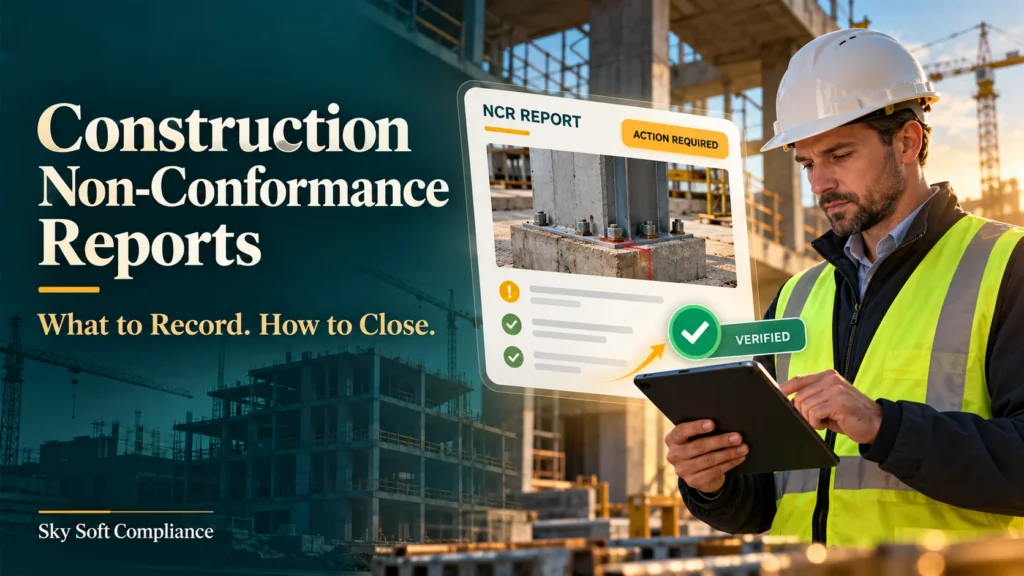
A site inspection identifies work that does not match the approved drawing. The subcontractor fixes it, but the report still lacks test results, approval or a clear explanation of what went wrong. As a result, the issue remains unresolved in the project records.
Construction non-conformance reports should record the unmet requirement, evidence of the problem, affected work, responsible person and agreed actions. To close an NCR, verify the outcome, attach supporting evidence and obtain the required approval.
This guide explains how to make that process practical for site supervisors, quality managers and subcontractors.
What Is a Construction Non-Conformance Report?
A construction non-conformance report, or NCR, documents a failure to meet a specified requirement. That requirement may come from a contract, approved drawing, project specification, inspection and test plan (ITP), or internal procedure.
For example, an NCR might address:
- Materials that differ from the approved specification.
- Installed work outside the specified tolerance.
- A missed inspection hold point.
- Missing test records needed to demonstrate acceptance.
ISO 9001 Auditing Practices Group guidance identifies three core parts of a well-documented nonconformity: supporting evidence, the relevant requirement and a clear statement of the failure. Therefore, writing “poor workmanship” alone does not explain the issue adequately.
However, follow your project’s reporting procedure when deciding whether to raise an NCR, defect report or another record. The labels and approval routes can vary.
What Should You Record in a Construction NCR?
Use the following checklist to build a report that another person can understand without chasing the original inspector.
| NCR field | What to record |
|---|---|
| Identification | Unique NCR number, project, date and reporter |
| Exact location | Building, level, grid reference, work package or lot |
| Requirement | Drawing revision, specification clause, ITP step or procedure |
| Observed failure | What differs from the requirement, including measurements |
| Evidence | Labelled photographs, inspection notes, test results or delivery records |
| Affected scope | Materials, quantities, batches and related work requiring review |
| Immediate controls | Work restrictions, isolation or steps preventing concealment |
| Responsibility | Action owner, subcontractor and agreed due dates |
| Resolution plan | Proposed rework, repair, replacement or authorised concession |
| Cause and follow-up | Cause analysis, recurrence controls and verification plan |
| Closure record | Acceptance evidence, reviewer, approval and closure date |
Write Facts, Not Accusations
Instead of “the subcontractor installed the wrong product,” describe the observable difference.
For example: “Three installed door sets on Level 2 carry product references that differ from the approved door schedule, revision C.”
Then attach photographs of the labels and reference the relevant schedule entries. This gives the reviewer a clear starting point for checking suitability and deciding the next action.
Define the Extent of the Problem
Next, establish whether the issue affects one item or a wider batch. Check nearby work, delivery records and similar installations.
Otherwise, correcting one visible defect may leave the same problem elsewhere.
How to Close a Construction Non-Conformance Report
A practical NCR workflow separates investigation, action completion and acceptance. Therefore, agree on closure criteria before the team begins corrective work.
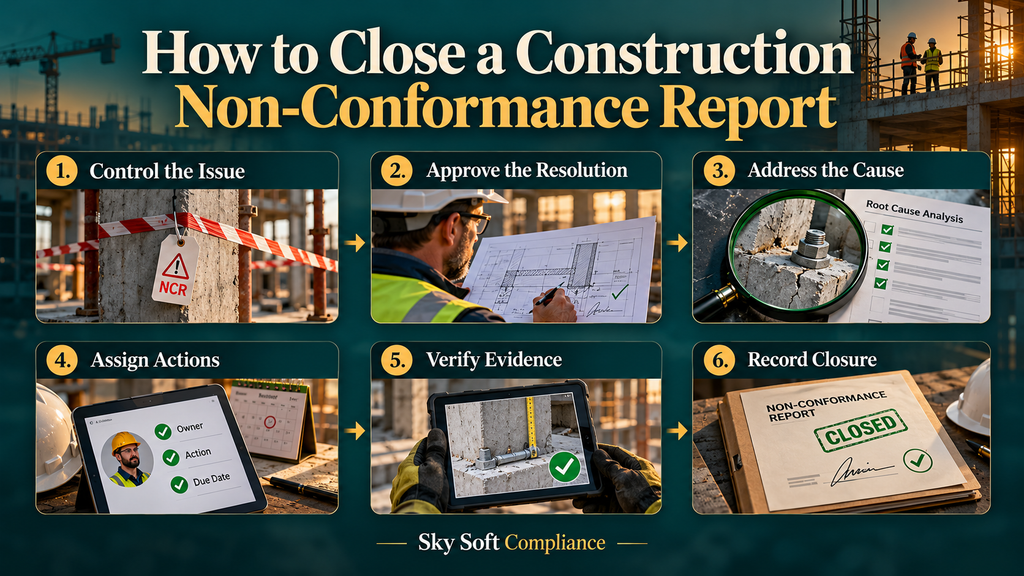
1. Control the Immediate Issue
First, assess the affected work and apply proportionate controls. Depending on the issue, this may mean isolating materials, pausing the affected activity or preventing work from being covered.
If the finding creates an immediate safety risk, use the site’s safety response process as well. An NCR record alone does not control the hazard.
2. Agree on an Authorised Resolution
Next, document the proposed treatment and identify who must approve it. A subcontractor’s suggested repair may need review by the designer, engineer or client representative, depending on the contract.
Also, distinguish rework from a concession. Rework aims to meet the original requirement; a concession permits acceptance of a defined departure through the appropriate authority.
Do not treat an informal “looks fine” response as technical acceptance.
3. Separate Correction From Corrective Action
Correction fixes the identified problem. Corrective action addresses its cause to prevent recurrence.
For example, replacing an incorrect component corrects the immediate issue. However, introducing a documented check against the approved schedule before installation addresses the process failure.
Investigate why the problem occurred and whether similar work needs attention. Then make recurrence controls proportionate to the risk and findings.
4. Assign Owners and Completion Dates
Give each action a named owner, due date and required evidence. Instead of “site team to fix,” specify who will complete the work and who will verify it.
If approval or testing causes a delay, record the dependency and revised plan. This keeps the NCR register useful for follow-up.
5. Verify the Work and Supporting Evidence
Once the owner reports completion, inspect or test the outcome against the agreed acceptance criteria. Photographs may support verification; however, they cannot replace measurements or tests where these are necessary.
Also, check whether the recurrence control works. For instance, review subsequent installations to confirm that the new pre-installation check is being followed.
6. Approve Closure and Retain Traceability
Finally, the authorised reviewer should record the acceptance decision, evidence references and closure date.
Where an effectiveness review is still pending, keep that requirement visible under the project’s agreed workflow. Avoid labelling the issue fully resolved while required checks remain outstanding.
Practical Example: An Incorrect Door Set
Consider this illustrative NCR:
| Stage | Practical response |
|---|---|
| Finding | An installed door set does not match the approved schedule. |
| Immediate control | Identify the affected installation and prevent concealment or handover of the affected work pending review. |
| Investigation | Check the product reference, delivery records and other door sets from the same delivery. |
| Resolution | Obtain the appropriate technical decision, then replace or otherwise treat the installation as authorised. |
| Recurrence control | Introduce a recorded product-reference check before installing the remaining door sets. |
| Closure evidence | Retain the approval, product documentation, inspection result and verification of the revised checking process. |
Consequently, the record explains both how the team resolved the installation issue and how it improved the process.
Common NCR Closure Mistakes to Avoid
Even a detailed report becomes ineffective if the follow-up is weak. In particular, avoid:
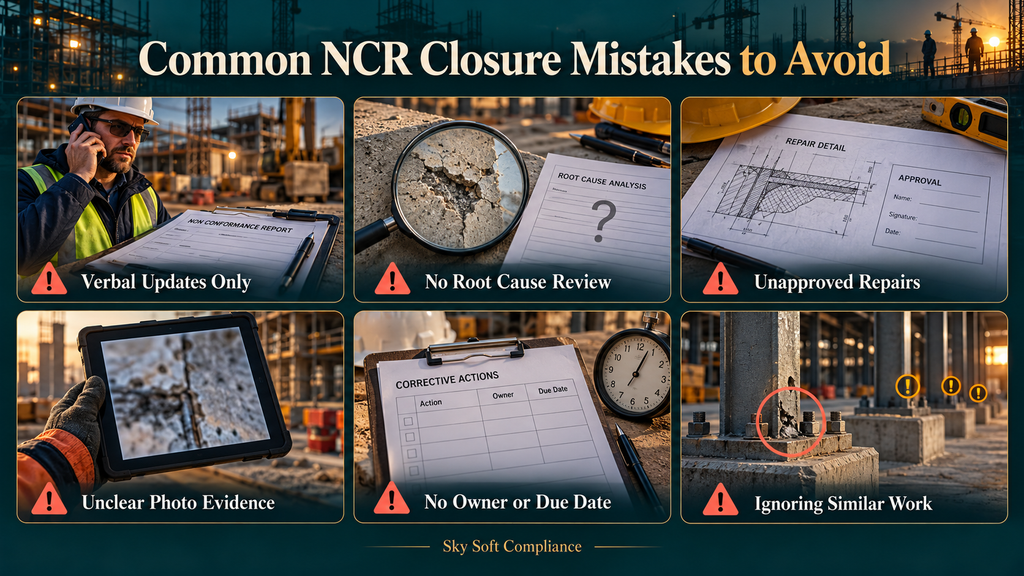
- Closing an NCR based only on a verbal update.
- Recording “human error” without investigating the underlying process.
- Accepting a repair without the required technical approval.
- Uploading photographs that do not identify the affected location.
- Leaving actions without an owner or due date.
- Ignoring similar work that may share the same problem.
Instead, make the closure evidence specific enough for someone outside the original discussion to review.
How Sky Soft Compliance Supports NCR Management
Sky Soft Compliance lists non-conformances, defect reports, site inspections and corrective actions among its construction workflows. Its published features include custom forms with photos and signatures, action assignment and closure, audit trails, reminders and escalations.
For teams managing several sites, these capabilities provide a basis for organising NCR information and following up actions. However, the project team still needs to define acceptance criteria, approval responsibilities and suitable evidence.
When evaluating the software, ask for a walkthrough using your own NCR form and a real closure scenario. This helps establish how the workflow fits your project.
Read more : Construction Emergency Plans: What to Include and When to Review Them
Frequently Asked Questions
The person authorised under the project’s quality procedure should raise it. This may be a site supervisor, inspector, quality manager or client representative.
The designated approver should authorise closure after reviewing the required evidence. Completing the repair does not automatically give the action owner authority to accept it.
Set a deadline based on risk, project requirements and dependencies. For example, an issue affecting concealed work needs resolution before the next activity prevents inspection.
Start with one open NCR: check its requirement, owner, resolution plan and missing evidence. Then agree on the remaining checks needed for an authorised closure.