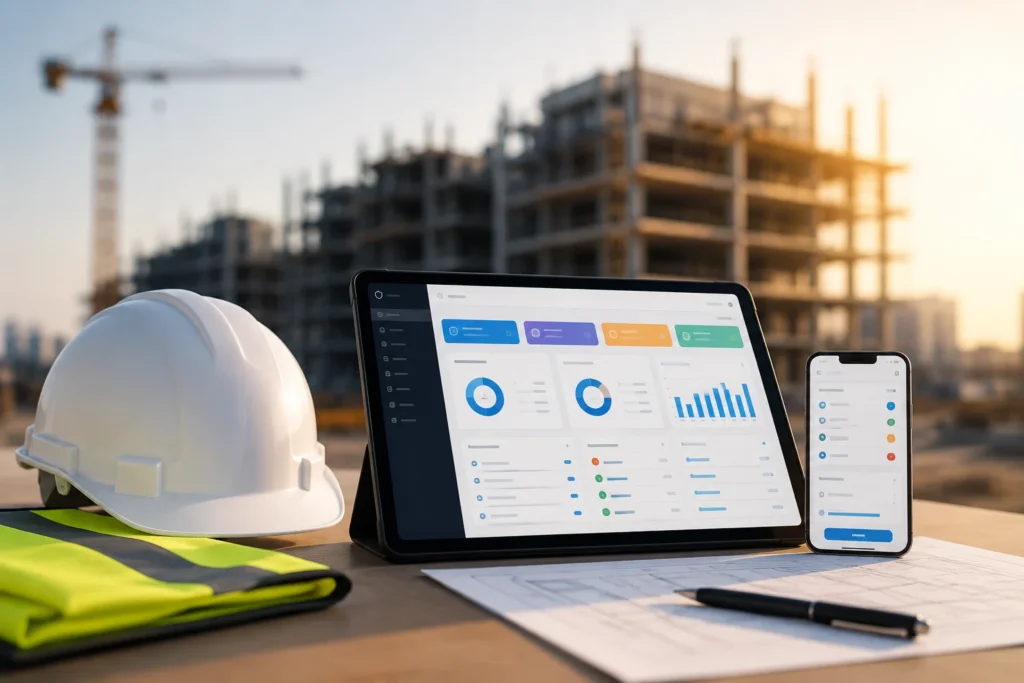
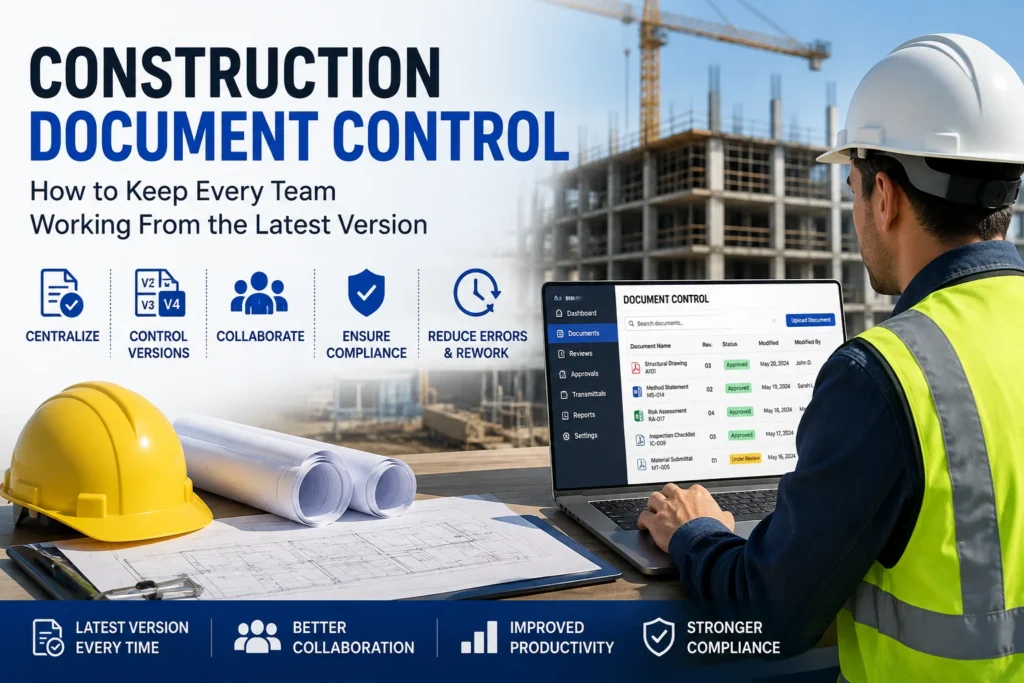
Construction projects generate hundreds, and sometimes thousands, of documents. Drawings, method statements, inspection forms, specifications, permits, reports, contracts, risk assessments, and site records all need to stay accurate and accessible.
However, one outdated document can create confusion across an entire project.
A subcontractor may work from an old drawing. A supervisor may use an outdated inspection checklist. Meanwhile, the project manager may be reviewing a newer revision without realizing that other teams have not received it.
That is why construction document control is more than simply storing files. It is about making sure the right people can access the right document, at the right time, in the right version.
This guide explains how practical document control works on construction projects and how digital QSE software can help teams reduce version errors, improve collaboration, and maintain better project records.
What Is Construction Document Control?
Construction document control is the process of creating, reviewing, approving, distributing, updating, and tracking project documents throughout their lifecycle.
A structured document control process helps teams know:
- Which document is currently approved
- What changed between revisions
- Who approved the document
- When the revision became effective
- Which teams need access
- Whether an outdated version is still being used
- Where the latest document is stored
Instead of relying on email attachments, shared folders, spreadsheets, or printed copies, a controlled system creates a clear source of truth.
Common Construction Documents That Require Control
| Document Type | Typical Control Requirement |
|---|---|
| Construction drawings | Revision and approval tracking |
| Method statements | Review and approval |
| Risk assessments | Current version and distribution |
| Inspection checklists | Controlled templates |
| Site forms | Latest approved version |
| Specifications | Revision history |
| Permits | Expiry and status tracking |
| QSE records | Evidence and audit trail |
| NCRs | Status and corrective action tracking |
| Project reports | Controlled submission and storage |
The exact documents will vary by project. However, the principle remains the same: teams should know which version is valid before they use it.
Why Version Control Matters on Construction Projects
Construction projects involve multiple stakeholders working simultaneously.
A typical project may include:
- Main contractors
- Subcontractors
- Consultants
- Engineers
- Site supervisors
- QSE teams
- Project managers
- Clients
- Suppliers
Consequently, document changes can happen frequently.
For example, an engineering team may issue Drawing Rev C after identifying a design change. If a subcontractor continues working from Rev B, the team could install materials or complete work based on superseded information.
The problem is not simply that the old document exists. The problem is that the team used the wrong version.
Effective version control therefore helps reduce:
- Rework
- Miscommunication
- Inspection delays
- Incorrect installations
- Compliance issues
- Duplicate records
- Audit difficulties
- Time spent searching for documents
What Causes Document Version Problems?
Many document control problems come from everyday project workflows rather than major system failures.
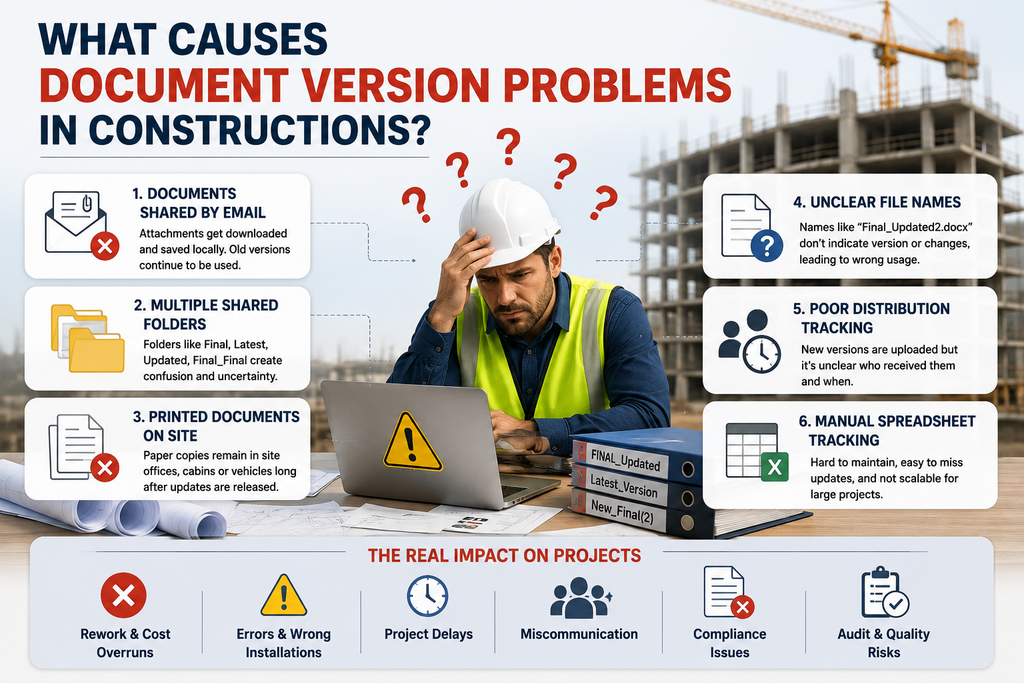
1. Documents Shared by Email
Email is useful for communication, but it is not always ideal for controlling documents.
A team member may download an attachment, save it locally, and continue using it after a newer revision has been issued.
2. Multiple Shared Folders
Projects often have folders such as:
- Final
- Final Updated
- Latest
- Latest Version
- Approved
- Approved Final
This can quickly create uncertainty.
3. Printed Documents on Site
Paper copies can remain in site offices, vehicles, cabins, or subcontractor work areas long after a document has been revised.
4. Unclear File Names
A filename such as:
Inspection_Form_Final_Updated2.docx
does not provide strong document control.
A controlled naming structure should make the document identity and revision clear.
5. Poor Distribution Tracking
Uploading a new revision is not enough. Teams also need to know who received it and when.
6. Manual Spreadsheet Tracking
Spreadsheets can help with small projects, but manually maintaining hundreds of document revisions becomes difficult as project complexity increases.
How to Build an Effective Construction Document Control Process
A practical document control process does not have to be complicated.
The following workflow can provide a strong foundation.
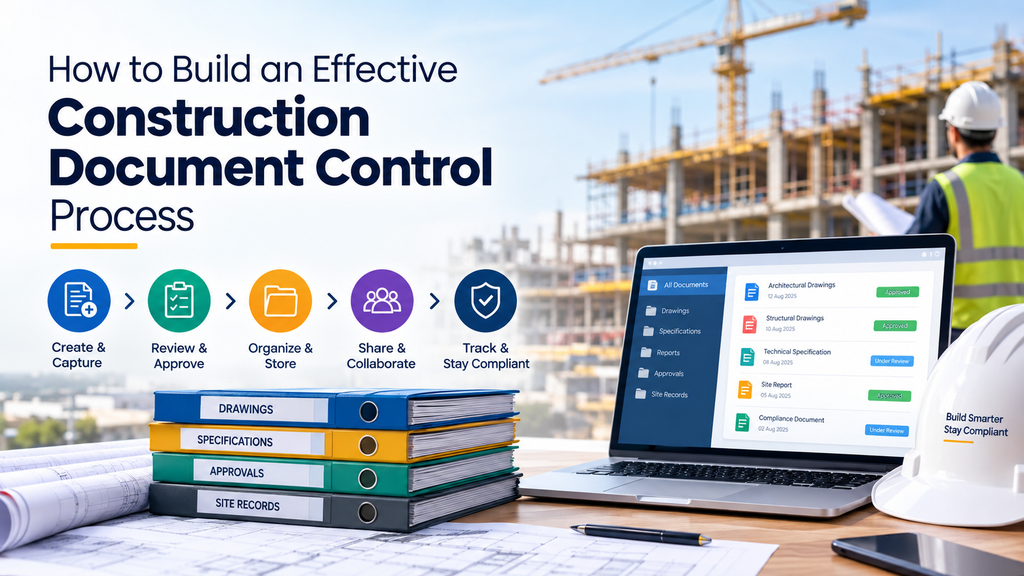
Step 1: Create a Central Document Repository
Start with one controlled location for project documents.
Instead of allowing documents to exist across personal computers, email inboxes, WhatsApp conversations, and unrelated folders, establish a central repository.
The repository should provide:
- Controlled access
- Search
- Document categorisation
- Version history
- Approval status
- Revision tracking
- Audit records
Most importantly, teams should know where the official document lives.
Step 2: Establish a Standard Naming Convention
Every document should follow a consistent naming structure.
For example:
Project – Document Type – Document Number – Revision
Example:
ProjectA – Method Statement – MS-024 – Rev 03
This makes documents easier to search, identify, and organise.
A good naming convention should avoid vague terms such as:
- New
- Final
- Final2
- Updated
- Latest
- Latest Final
Instead, use structured revision numbers or codes.
Step 3: Assign Document Status
Every controlled document should have a clear status.
For example:
| Status | Meaning |
|---|---|
| Draft | Being prepared |
| Under Review | Submitted for review |
| Approved | Approved for use |
| Rejected | Requires changes |
| Superseded | Replaced by a newer revision |
| Archived | Retained for historical records |
This simple classification helps users understand whether a document can actually be used.
Step 4: Control Document Revisions
A revision system should clearly show what changed.
For example:
| Revision | Date | Change | Status |
|---|---|---|---|
| Rev 01 | 05 Jan | Initial issue | Superseded |
| Rev 02 | 12 Jan | Updated inspection criteria | Superseded |
| Rev 03 | 20 Jan | Added client comments | Approved |
This creates a useful history of the document.
It also makes audits easier because the project team can demonstrate how the document evolved.
Step 5: Make Approval Part of the Workflow
Not every uploaded document should automatically become an approved document.
A controlled workflow could follow this process:
Create → Review → Approve → Publish → Distribute → Revise → Supersede
For example, a new method statement could be uploaded by a subcontractor. The QSE manager reviews it, the responsible person approves it, and only then does the approved version become available for controlled use.
This prevents draft documents from accidentally becoming operational documents.
Step 6: Make the Latest Version Easy to Identify
One of the most important rules of document control is simple:
Users should not have to guess which version they should use.
The system should clearly identify the current approved version.
For example:
Inspection Checklist – Rev 04 – APPROVED
When Rev 05 is approved, Rev 04 should automatically become superseded.
This reduces the possibility of teams accidentally using older information.
Step 7: Keep an Audit Trail
A strong construction document management system should record important activities.
For example:
- Who uploaded the document
- Who edited it
- Who reviewed it
- Who approved it
- When it was approved
- When a new revision was created
- Who accessed or received it
This provides useful evidence during internal reviews, client audits, and compliance checks.
Step 8: Control Documents Across Contractors and Sites
Construction companies often manage multiple projects, locations, and subcontractors.
Therefore, document control should work across different users and project environments.
For example:
Head Office → Project → Site → Work Package → Controlled Documents
Users should only see the information relevant to their responsibilities where appropriate.
This helps improve security while keeping project information organised.
Digital Document Control vs Manual Document Control
The difference becomes increasingly important as projects grow.
| Manual Approach | Digital Document Control |
|---|---|
| Email attachments | Central document repository |
| Paper copies | Digital controlled records |
| Manual revision logs | Automatic version history |
| Spreadsheet tracking | Structured workflows |
| Manual approvals | Digital approval processes |
| Difficult searching | Fast document search |
| Higher risk of outdated copies | Clear current-version status |
| Limited audit visibility | Detailed audit trail |
Manual processes may work for small projects. However, larger construction environments typically need stronger controls because more people are creating, reviewing, and using project information.
How QSE Software Can Improve Construction Document Control
Document control should not operate separately from your wider Quality, Safety and Environment (QSE) processes.
For example, a revised procedure may affect:
Document → Inspection → Finding → Corrective Action → Evidence → Report
When these activities remain connected, teams have better visibility across the project.
This is where a digital QSE platform can provide practical value.
Sky Soft Compliance for Digital QSE Management
Sky Soft Compliance is designed to help construction teams manage QSE activities digitally across projects and sites.
Instead of treating documents, inspections, corrective actions, evidence, and reporting as completely separate activities, the platform can support a more connected workflow.
Teams can use digital workflows to:
- Build and manage digital forms
- Capture site information
- Manage inspections
- Record corrective actions
- Capture supporting evidence
- Manage project and site information
- Generate professional reports
- Involve contractors in QSE processes
- Maintain structured project records
For construction teams, this approach can help move document and QSE management away from scattered paperwork and disconnected files.
A Practical Example: Controlling an Updated Site Inspection Form
Consider a construction company using a site inspection form.
Without controlled document management
A supervisor downloads Site Inspection Form Rev 02.
Later, the QSE team releases Rev 03 with additional safety questions.
However, the supervisor still has the old form saved on a laptop.
The inspection is completed using Rev 02.
The QSE manager then discovers that several required checks were missing.
The team has to repeat the inspection.
With controlled digital workflow
The QSE team publishes Rev 03.
The previous version becomes superseded.
The supervisor accesses the current approved form through the controlled system.
The inspection is completed using Rev 03.
The resulting record is stored with the project information and supporting evidence.
This creates a much clearer process and reduces unnecessary rework.
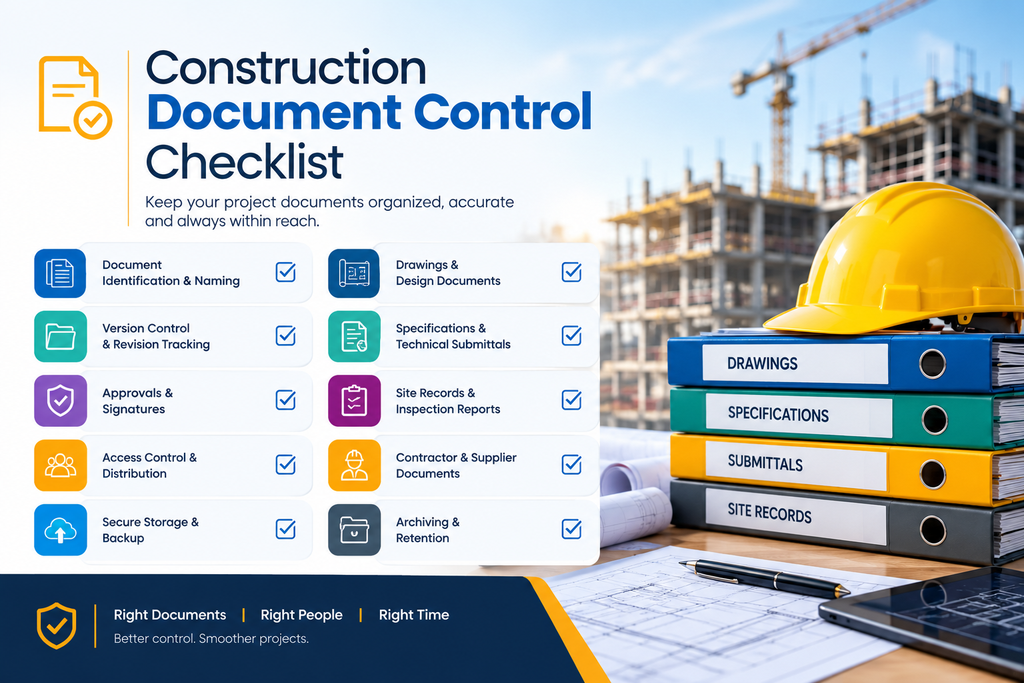
Construction Document Control Checklist
Before implementing or reviewing your process, ask:
Document Management
- Do we have one central document repository?
- Are document names standardised?
- Is every document assigned a revision?
- Can users easily identify the current version?
Approval
- Is there a defined review process?
- Are approval responsibilities clear?
- Are draft documents separated from approved documents?
Distribution
- Do relevant teams receive new revisions?
- Are outdated versions removed or marked as superseded?
- Can we see who received or accessed important documents?
Compliance
- Is there an audit trail?
- Can we retrieve previous revisions?
- Are supporting records and evidence linked?
- Can we quickly produce documentation during an audit?
If several answers are no, your current document control process may need improvement.
How to Keep Every Construction Team Working From the Latest Version
Effective document control comes down to three fundamental principles:
Centralise → Control → Communicate
Centralise
Keep controlled documents in one reliable location.
Control
Use revision numbers, approvals, permissions, and document statuses.
Communicate
Make sure affected teams know when important documents change.
When these three principles work together, construction teams can spend less time searching for files and more time completing project work.
Read more : Why Subcontractor Management Is Critical for QSE Compliance
Frequently Asked Questions
Construction document control is the structured process of managing project documents from creation through review, approval, distribution, revision, and archiving.
Version control helps ensure that project teams use the latest approved drawings, forms, procedures, specifications, and other controlled documents. This can reduce confusion, rework, and compliance risks.
Common controlled documents include drawings, specifications, method statements, risk assessments, inspection forms, permits, QSE procedures, reports, NCRs, and project records.
Use a central repository, clear revision numbers, approval workflows, superseded status, controlled access, and clear identification of the latest approved version.
Yes. Digital QSE software can connect document-related workflows with inspections, corrective actions, evidence collection, reporting, and other project activities. This can provide a more structured approach than managing individual files and paper records.
Final Thoughts
Construction document control is not simply about keeping files organised. It is about making sure everyone works from accurate, approved, and current information.
As projects become more complex, relying on email attachments, paper forms, local folders, and manual spreadsheets can make version control increasingly difficult.
A structured digital approach can help construction teams centralise information, manage revisions, control approvals, track evidence, and maintain better project records.
With a platform such as Sky Soft Compliance, construction organisations can bring document-related QSE workflows closer together, creating a more practical and connected way to manage information across projects and sites.
The goal is simple: one project, one source of truth, and every team working from the right information.