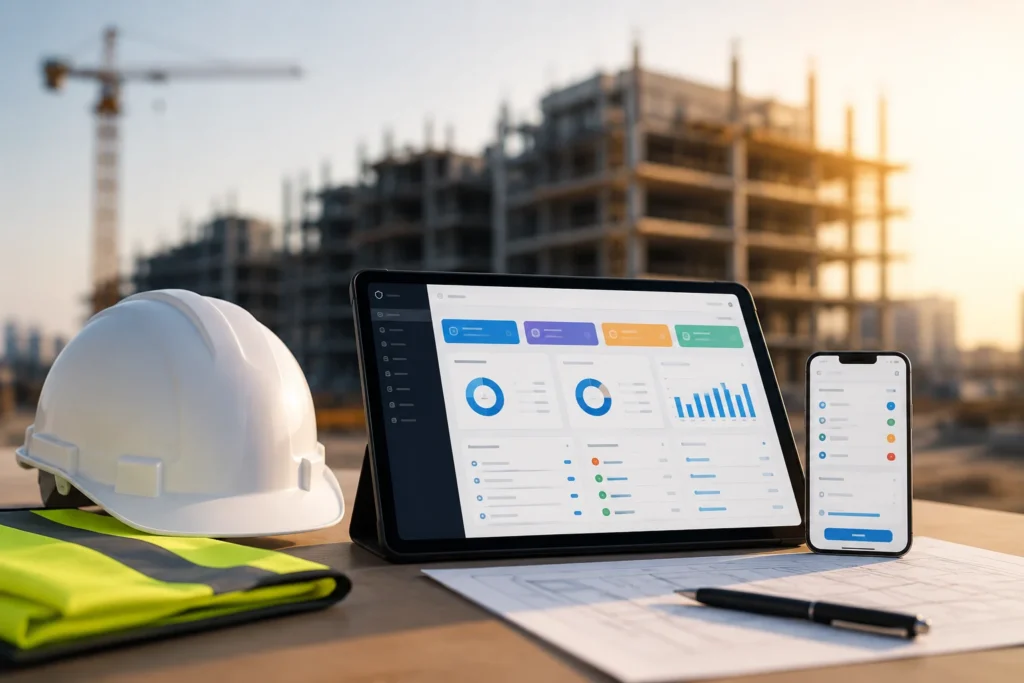

Construction defects can delay project handovers, increase rework costs, and create disputes between contractors, subcontractors, and clients. However, many construction teams still track defects using spreadsheets, emails, paper inspection forms, or messaging apps. As a result, issues can be overlooked, responsibilities become unclear, and corrective work takes longer than necessary.
Construction defect management software helps teams record defects, assign responsibility, monitor corrective actions, and verify that issues have been resolved. Instead of chasing updates across different platforms, project teams can manage the entire defect lifecycle in one place.
For construction businesses looking to improve quality control and compliance, a structured digital process makes defect resolution faster, clearer, and easier to document.
What Is Construction Defect Management Software?
Construction defect management software is a digital tool that helps construction teams identify, record, assign, track, and resolve defects discovered during site inspections, quality checks, and project handovers.
A defect may include cracked concrete, incorrect installations, damaged materials, incomplete work, poor workmanship, or a failed quality inspection.
Unlike a basic spreadsheet, dedicated defect tracking software can connect each issue to its location, photographs, responsible contractor, due date, corrective action, and verification status.
Typical capabilities include:
- Digital defect and snagging reports
- Photo and document attachments
- Responsibility assignment to contractors or subcontractors
- Corrective action tracking and deadlines
- Automated notifications and overdue reminders
- Inspection records and audit trails
- Defect status dashboards and reporting
- Verification and closure records
Consequently, project managers gain better visibility into outstanding issues without relying on manual follow-ups.
Why Do Construction Companies Need a Digital Defect Tracking System?
Defect management affects project quality, budgets, schedules, and client satisfaction. Therefore, an effective process should do more than record problems. It should ensure that every defect reaches the right person and is resolved within an agreed timeframe.

1. Prevent Defects From Being Overlooked
When defects are recorded in different spreadsheets, emails, or paper reports, important information can easily get lost. A central defect register gives the team a consistent record of every issue.
2. Reduce Rework and Project Delays
Unresolved defects can affect subsequent construction activities and delay handover. By assigning deadlines and monitoring progress, teams can identify overdue work before it creates larger problems.
3. Improve Contractor Accountability
Every defect should have a clearly assigned owner. Digital tracking makes it easier to identify who must complete the corrective work, when it is due, and whether the required evidence has been submitted.
4. Maintain Better Quality and Compliance Records
Construction projects often require documented inspections, corrective actions, and evidence of completion. A digital system keeps these records organised, making internal reviews and audits easier.
5. Improve Client Handover
Before handing over a project, teams must confirm that outstanding defects and snagging items have been addressed. A centralised defect list helps project managers review open issues and verify completed work.
How to Track, Assign and Resolve Construction Defects
An effective construction defect management process follows a clear sequence, from initial identification to final verification.

Step 1: Identify and Record the Defect
Start by documenting the issue as soon as it is discovered during a site inspection, quality check, or handover review.
Record the essential details, including:
- Project name and site location
- Building, floor, room, or asset reference
- Defect description and category
- Date identified and reporting person
- Supporting photographs or documents
- Priority level based on risk and impact
For example, if an inspection identifies a damaged fire door on the third floor, the record should specify its exact location, include photographs, and explain the required corrective action.
This information helps the responsible team understand the problem without repeatedly requesting clarification.
Step 2: Assign Responsibility
Once the defect is recorded, assign it to the appropriate contractor, subcontractor, trade team, or internal department.
The assignment should include a clear description of the required work and a realistic completion deadline. In addition, define who will verify the correction before the defect is closed.
For instance, a plumbing defect should be assigned to the responsible plumbing contractor rather than left in a general list of outstanding issues.
Clear ownership reduces confusion and makes progress easier to monitor.
Step 3: Set Priorities and Deadlines
Not every defect requires the same response time. A minor cosmetic issue may be handled during routine snagging, whereas a defect that creates a safety risk or threatens building integrity requires more urgent attention.
A practical priority structure could look like this:
| Priority | Example | Recommended response |
|---|---|---|
| Critical | Defect presenting an immediate safety risk | Escalate immediately and apply appropriate safety controls |
| High | Defect affecting essential functionality or a critical project activity | Assign urgently and monitor closely |
| Medium | Installation or workmanship issue requiring corrective work | Set a defined completion deadline |
| Low | Minor cosmetic defect with limited impact | Schedule for completion before the agreed handover deadline |
Actual response times should reflect project requirements, contractual obligations, and the level of risk.
Step 4: Monitor Corrective Actions
After assigning a defect, track its progress until the responsible party completes the required work.
A useful defect tracking system should make it easy to distinguish between:
- Open: The defect has been recorded but work has not been completed.
- Assigned: Responsibility has been allocated.
- In Progress: Corrective work is underway.
- Ready for Verification: The responsible party reports that the work is complete.
- Closed: The correction has been checked and accepted.
- Overdue: The agreed deadline has passed without resolution.
Where possible, automated notifications and overdue alerts can reduce manual follow-ups. Project managers can then focus on defects that require attention instead of reviewing every record individually.
Step 5: Verify the Correction and Close the Defect
A defect should not be closed simply because someone marks the work as complete.
Instead, the designated inspector or quality representative should verify the correction against the original requirement. Where appropriate, this includes reviewing updated photographs, repeating the inspection, or checking relevant documents.
If the issue remains unresolved, return it to the responsible party with clear instructions.
Once the correction has been accepted, record the verification details and close the defect. This creates a reliable history of what was reported, who completed the work, and how the outcome was confirmed.
Essential Features to Look for in Construction Defect Management Software
When comparing construction defect tracking software, focus on features that support real site workflows rather than choosing a platform based on the number of features it advertises.
| Feature | Why It Matters |
|---|---|
| Digital inspection forms | Record defects consistently during site inspections |
| Photo and document attachments | Provide evidence of the original issue and completed work |
| Task assignment | Establish responsibility for corrective actions |
| Due dates and reminders | Help teams manage deadlines and overdue defects |
| Mobile accessibility | Allow site teams to record issues without returning to the office |
| Defect dashboards | Show open, overdue, and resolved issues across projects |
| Audit trail | Maintain a history of updates, actions, and verification |
| Corrective action tracking | Connect identified problems with the steps required to resolve them |
| Reporting and exports | Support progress reviews, handovers, and compliance reporting |
| Integration capabilities | Reduce duplicate data entry across existing business systems |
For many contractors, mobile access, straightforward reporting, and clear responsibility tracking are especially important because defect records must remain useful to both site teams and office staff.
Construction Defect Management Software vs. Spreadsheets
Spreadsheets can work for small projects with a limited number of defects. However, as projects grow, managing assignments, evidence, deadlines, and verification manually becomes more difficult.
| Capability | Spreadsheets and Emails | Dedicated Defect Management Software |
|---|---|---|
| Defect recording | Manual data entry | Structured digital records |
| Responsibility | Requires manual coordination | Clear task assignment and ownership |
| Progress tracking | Manual updates | Centralised status tracking |
| Notifications | Often sent manually | Automated alerts may be available |
| Photo evidence | Scattered across folders and emails | Attached directly to defect records |
| Reporting | Requires manual preparation | Dashboards and reporting tools |
| Audit records | Can be difficult to maintain consistently | Centralised history, depending on the platform |
The main advantage is accountability. Digital defect management creates a repeatable process that helps teams move from identifying a problem to verifying its resolution.
How Sky Soft Compliance Supports Construction Defect Management
Sky Soft Compliance by Sky Soft Connections helps construction businesses manage quality, safety, and compliance activities through digital workflows.
Instead of relying entirely on paper forms and disconnected records, construction teams can use a structured digital approach to site inspections, evidence collection, corrective actions, and compliance documentation.
For businesses looking to improve defect management, a connected compliance workflow can support several important activities:
- Digital site inspections: Standardise how teams record inspection findings and site issues.
- Evidence management: Organise photographs, documents, and supporting information for better traceability.
- Corrective action tracking: Help teams follow up on identified issues and monitor their resolution.
- QR-based access: Where configured, QR codes can provide convenient access to relevant site information and records.
- Audit-ready documentation: Keep inspection findings and corrective action evidence organised for internal reviews and compliance checks.
- Branded reporting: Present inspection and compliance information in a consistent, professional format.
These capabilities can help construction businesses establish a more organised process for managing defects and related compliance activities.
For example, when a site inspection identifies a workmanship issue, the team can document the finding, attach supporting evidence, assign the necessary corrective action through the applicable workflow, and retain the relevant records for review.
The exact workflow depends on the software configuration and the features available in the selected plan.
If your construction business wants to reduce paperwork and improve visibility across site inspections and corrective actions, explore Sky Soft Compliance to learn more about its digital compliance approach.
Best Practices for Effective Construction Defect Management
Software delivers the most value when teams follow a consistent process. To improve defect resolution across construction projects, apply these practical guidelines.
- Standardise defect categories. Use consistent categories such as workmanship, materials, installation, safety, and finishing so teams can identify recurring problems.
- Assign one accountable owner. Multiple people may contribute to a correction, but one person or team should remain responsible for completing the action.
- Set realistic deadlines. Consider the defect’s severity, project schedule, and contractual requirements when setting completion dates.
- Require supporting evidence. Request photographs, inspection results, or other relevant documentation to demonstrate that corrective work has been completed.
- Verify before closing. Ensure an authorised person checks the correction instead of relying solely on a completion notification.
- Review recurring defects. Analyse defect reports to identify repeated workmanship issues, training gaps, or subcontractor performance problems.
- Monitor key performance indicators. Track metrics such as the number of open defects, overdue actions, average resolution time, and first-time inspection pass rate.
Over time, these practices help project teams identify bottlenecks, improve quality control, and prevent recurring issues from affecting future work.
Read more : What Is Construction Site Diary Software? Benefits, Features and Costs
Frequently Asked Questions
The best construction defect management software depends on your project size, inspection requirements, mobile working needs, reporting processes, and existing systems. Look for a solution that supports defect recording, clear responsibility assignment, corrective action tracking, evidence management, and verification.
Snagging software typically focuses on recording and resolving outstanding items identified during construction inspections and project handovers. Defect management software can cover a broader process, including quality issues, corrective actions, responsibility tracking, verification, and reporting throughout the project lifecycle. However, the capabilities of individual platforms vary.
It creates a consistent record of identified issues, assigns responsibility, establishes deadlines, and tracks corrective work through verification. As a result, teams can reduce missed issues, improve accountability, and identify recurring quality problems.
Yes. Depending on the platform, it can maintain inspection records, photographs, corrective action histories, and verification evidence. These records help demonstrate how issues were handled, although software alone does not guarantee compliance with applicable standards or contractual requirements.
Start by recording defects accurately, assigning a responsible person immediately, setting risk-based deadlines, and monitoring overdue actions. In addition, use reminders where available and require clear evidence before closing each defect.
Final Thoughts
Construction defect management is not simply about maintaining a list of problems. It is about ensuring that every issue is documented, assigned to the right person, resolved within an appropriate timeframe, and verified before closure.
With the right construction defect management software, businesses can improve accountability, reduce manual follow-ups, strengthen quality control, and maintain better project records.
Sky Soft Compliance offers a digital approach to construction inspections, corrective actions, and compliance documentation. For construction businesses seeking a more organised way to manage site issues, it is worth exploring how digital compliance workflows can support their existing processes.
Ready to improve your construction compliance workflows? Visit Sky Soft Compliance to explore the platform.