

Construction sites are busy, complex environments where safety issues can develop quickly. At the same time, inspection teams often have to manage checklists, photographs, corrective actions, reports and compliance records across multiple projects.
Traditional paper-based inspections can make this process harder than it needs to be. Information can be misplaced, reports can take hours to prepare, and important evidence may become difficult to find when it is needed.
Digital site inspections provide a more efficient approach. By recording inspections, findings and evidence digitally, construction teams can identify risks earlier, reduce administrative work and maintain organised project records.
What Are Digital Site Inspections?
Digital site inspections use mobile devices such as smartphones or tablets to complete safety, quality and compliance inspections electronically.
Instead of relying on paper forms, inspectors can use a digital inspection platform to:
- Complete inspection checklists on site
- Record hazards and non-conformances
- Capture photos and supporting evidence
- Assign corrective actions
- Add comments and observations
- Track inspection status
- Generate inspection reports
- Store records in a central system
As a result, inspection information becomes easier to access, review and act on.
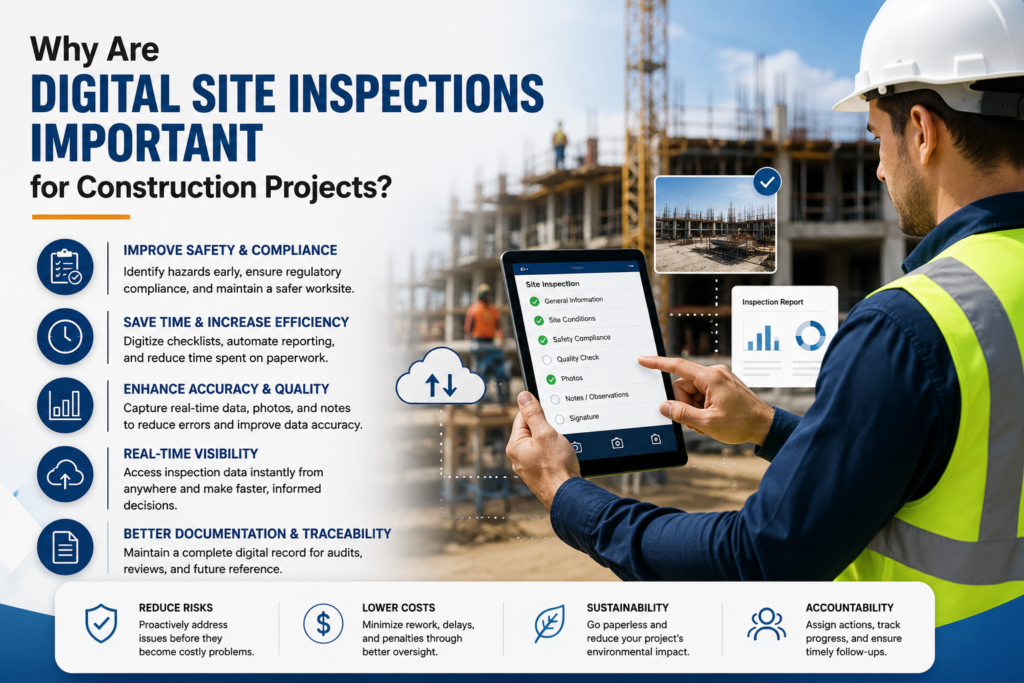
Why Are Digital Site Inspections Important for Construction Projects?
Construction companies need accurate evidence to demonstrate that safety and compliance processes are being followed. However, collecting that evidence manually can create unnecessary delays.
With a digital inspection workflow, information moves from site → inspection → corrective action → review → reporting without relying on multiple paper forms or disconnected spreadsheets.
This helps project teams create a clearer record of what happened, when it happened, who completed the inspection and what action followed.
1. Reduce the Risk of Incidents
The primary purpose of a site inspection is not simply to create a report. It is to identify hazards before they contribute to an incident.
Digital inspection software allows teams to record hazards immediately while inspectors are still on site. Photos, notes and checklist responses can provide additional context.
More importantly, corrective actions can be assigned and tracked instead of being forgotten after the inspection.
For example, an inspector may identify:
- Unsafe access or egress
- Missing personal protective equipment
- Damaged equipment
- Poor housekeeping
- Unprotected work areas
- Inadequate signage
- Environmental hazards
Once recorded, these issues can be followed through to completion.
2. Save Administrative Time
One of the biggest advantages of digital inspections is the reduction in manual administration.
With paper-based processes, an inspector may complete a form, return to the office, enter information into a spreadsheet, prepare a report and then email it to relevant stakeholders.
That process can consume valuable time.
Digital inspection systems can streamline many of these steps. Information is captured once and can then be used for reporting, action tracking and record-keeping.
| Inspection Task | Traditional Process | Digital Process |
|---|---|---|
| Complete checklist | Paper form | Mobile device |
| Capture evidence | Separate photographs | Photos attached to inspection |
| Record findings | Manual notes | Structured digital fields |
| Assign actions | Email or spreadsheet | Digital action tracking |
| Create report | Manual preparation | Automated reporting |
| Find historical evidence | Search through files | Centralised records |
Therefore, teams can spend less time managing paperwork and more time managing actual site risks.
3. Keep Inspection Evidence Organised
Inspection evidence becomes particularly important when a project needs to demonstrate compliance.
Photos, observations, inspection results and corrective actions should be easy to retrieve. However, files stored across email accounts, folders, spreadsheets and individual devices can quickly become difficult to manage.
A digital inspection system provides a central location for project inspection records.
This makes it easier to answer questions such as:
- When was the site inspected?
- Who completed the inspection?
- What hazards were identified?
- What evidence was captured?
- What corrective action was required?
- Has the issue been closed?
- Can the inspection history be retrieved?
Consequently, project managers and compliance teams can access the information they need without searching through multiple systems.
4. Improve Corrective Action Tracking
Identifying a problem is only the first step. The real value of an inspection comes from making sure the problem is addressed.
Digital site inspection software can help teams move from finding a risk to assigning, tracking and closing the required action.
A typical workflow might look like this:
Identify → Record → Assign → Correct → Verify → Close
This creates greater accountability because actions can be linked to specific inspection findings.
Furthermore, managers can monitor outstanding issues instead of relying on manual follow-ups.
5. Create Better Compliance Records
Construction projects generate a significant amount of compliance evidence. Therefore, maintaining reliable records should be part of the inspection process rather than an afterthought.
Digital records can provide a clearer audit trail of inspections and actions. Depending on the system, teams may also be able to maintain timestamps, inspector details, photographs, comments and status information alongside each inspection.
This can support:
- Internal audits
- Client reporting
- Safety reviews
- Quality management
- Compliance checks
- Incident investigations
- Project handover documentation
Most importantly, organised records help teams demonstrate that identified issues were not simply documented but properly managed.
How Sky Soft Compliance Supports Digital Site Inspections
Sky Soft Compliance helps construction teams move inspection and compliance processes away from disconnected paperwork and manual administration.
The platform can support digital workflows for recording inspections, documenting findings, managing evidence and tracking actions across projects.
Instead of treating an inspection as a standalone document, teams can create a more connected process where inspection information remains available for follow-up and reporting.
This can be particularly useful for organisations managing multiple projects, inspection teams or large volumes of compliance documentation.
A More Connected Inspection Workflow
With a digital approach, an inspection can follow a structured workflow:
- Select the relevant inspection
- Complete the checklist on a mobile device
- Record hazards, observations or non-conformances
- Capture photographs and supporting evidence
- Assign corrective actions
- Monitor outstanding actions
- Complete and store the inspection record
- Use the data for reporting and compliance reviews
As a result, information does not stop at the point where the inspection form is submitted.
Digital Site Inspections vs Paper Inspections
Paper inspections are familiar and can work for simple processes. However, they become increasingly difficult to manage as projects, teams and compliance requirements grow.
Digital inspections offer several practical advantages:
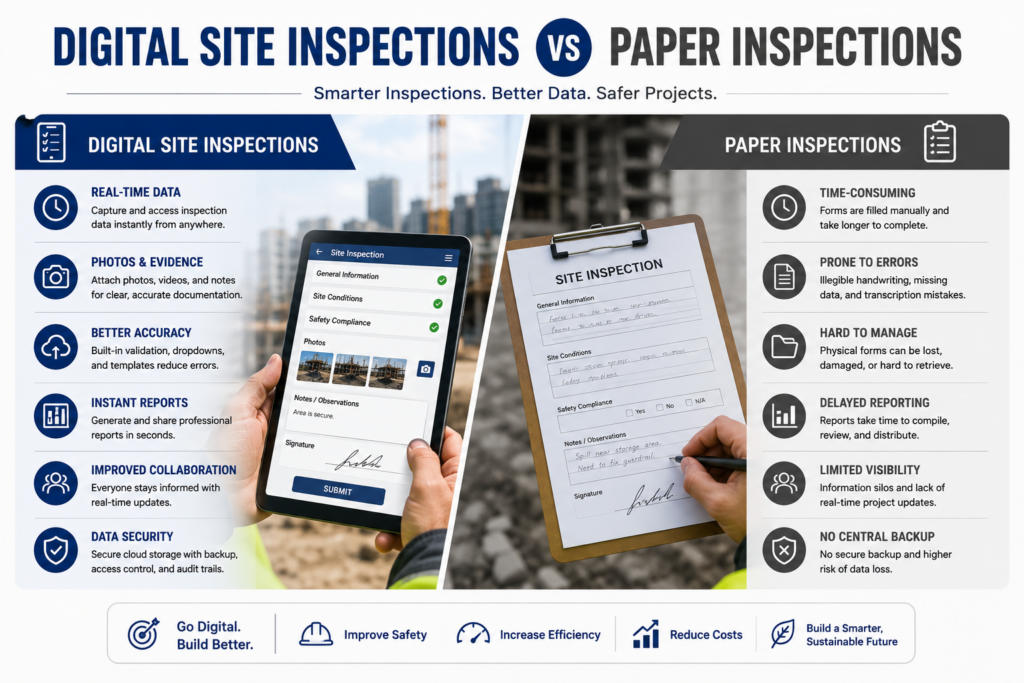
- Faster data capture: Inspectors can enter information directly on site.
- Better evidence management: Photos and observations can remain connected to inspection records.
- Improved visibility: Managers can see inspection results and outstanding actions more easily.
- Less paperwork: Digital workflows reduce repetitive data entry.
- Easier reporting: Structured information can support faster report generation.
- Better traceability: Inspection activity and corrective actions can be tracked over time.
The goal is not simply to replace paper with a tablet. Instead, the goal is to create a more efficient digital safety inspection workflow.
What Should Construction Teams Look for in Digital Inspection Software?
Not every inspection platform will suit every construction business. Before choosing a solution, teams should consider whether the software can support their actual workflow.
Key features to evaluate include:
- Mobile inspection capability
- Customisable inspection forms
- Photo and evidence capture
- Corrective action management
- User permissions
- Centralised record storage
- Inspection history
- Automated reporting
- Audit trails
- Multi-project support
- Easy access for field and office teams
Most importantly, the system should be simple enough for site teams to use consistently.
Frequently Asked Questions About Digital Site Inspections
A digital site inspection is an electronic inspection completed using a mobile device or computer. It allows teams to record inspection findings, photographs, hazards, corrective actions and other evidence digitally.
Digital inspections can help reduce incidents by making it easier to identify hazards, document findings and track corrective actions. However, software does not replace competent inspections or effective safety management.
Yes. Digital workflows can reduce manual data entry, paperwork, report preparation and time spent searching for inspection records.
Inspection evidence provides a record of what was inspected, what was found and what action was taken. Organised evidence can support audits, compliance reviews, reporting and incident investigations.
The Future of Construction Site Inspections Is Digital
Site inspections should do more than produce another completed form. They should help construction teams identify risks, respond to issues and maintain reliable evidence throughout the project lifecycle.
By adopting digital site inspections, organisations can reduce unnecessary administration, improve corrective action tracking and keep project evidence organised.
More importantly, a well-designed digital inspection workflow connects field teams with project managers and compliance teams, creating a clearer path from identifying a problem to resolving it.
For construction businesses looking to modernise their safety and compliance processes, Sky Soft Compliance provides a practical way to bring inspections, evidence and corrective actions into a more connected digital workflow.